

Company Configuration
The tabbed hub for your company's profile, branding, numbering, team, and account settings — and how to edit the General company details.
Company Configuration is the hub for everything about the company you're
working in. Open it from Company → Company Configuration in the sidebar
(route /settings/company-profile). It's organised as a set of tabs along the
top — this page covers the hub and its General tab, where you edit your legal
and contact details.
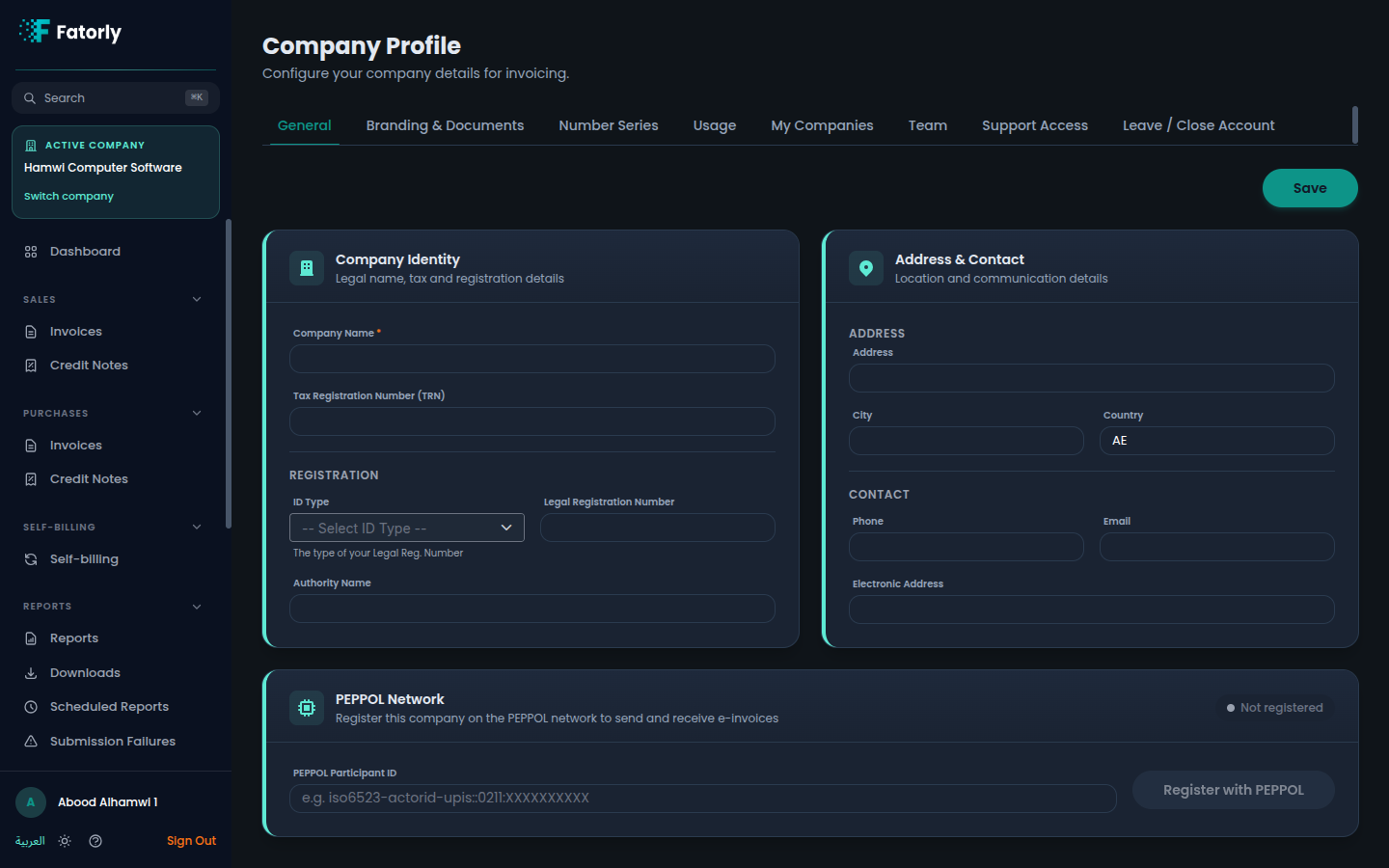
The tabs
The tabs you see depend on your role — some are hidden from auditors, and a few are only available to a company admin.
| Tab | What it's for |
|---|---|
| General | Legal name, TRN, registration, address, and contact (this page). |
| Branding | Logo, brand colour, and what appears on generated documents. See Branding & Documents. |
| Number Series | Document numbering. See Number Series. |
| Usage | Document counts and plan usage. See Usage & Statistics. |
| My Companies | Companies you have access to. See Linking Companies. |
| Team | Members and auditors. See Team & Auditors. |
| Support Access | Approve temporary support access. See Support Access. |
| Leave | Request to leave Fatorly. See Leave Fatorly. |
Note
Number Series and Usage are hidden for auditor (read-only) accounts, and Team, Support Access, and Leave are available only to a company administrator. If you don't see a tab, your role doesn't include it.
General — company details
The General tab holds the legal, tax, and contact details that appear on your invoices and on the e-invoices you exchange over the network.
Company identity
| Field | Required | Description |
|---|---|---|
| Company Name | Yes | Your legal company name. |
| Tax Registration Number (TRN) | No | Your VAT TRN. |
| ID Type | No | Type of your legal registration number (e.g. EID — Emirates ID). |
| Legal Registration Number | No | Your legal registration / licence number. |
| Authority Name | No | The issuing authority. |
| Company Legal Form | No | Your company's legal form, e.g. "Merchant", "LLC" (IBT-033). This value is automatically included on every invoice you issue. |
Address & contact
Address, City, Country (defaults to AE), Phone, Email, and Electronic
Address (used for network routing).
Edit your details
Update any field on the General tab.
Save
Select Save to apply the changes.
Tip
Keep your TRN, legal registration, and electronic address accurate — they
appear on compliant e-invoices and affect delivery on the network.
Related
- Branding & Documents — logo and document appearance.
- Number Series — document numbering.
- Team & Auditors — invite members and link auditors.
- Your Profile — your personal account settings.
- Switching Companies — move between companies.