

This is different from Leave Fatorly, which closes your
Fatorly account. Offboarding ends the FTA link. If you’re moving provider you
will usually want both — and you can download your data
at any time, before or after.
How to delink
1
Start from EmaraTax
Open E-INVOICING, go to Linkage Status with ASP, and choose
Offboarding/Reverify from the Action menu on your linked row.
2
Choose Delink from this service provider
On the wizard’s landing page, select Delink from this service provider. As
with reverification, your TIN is pre-filled and locked.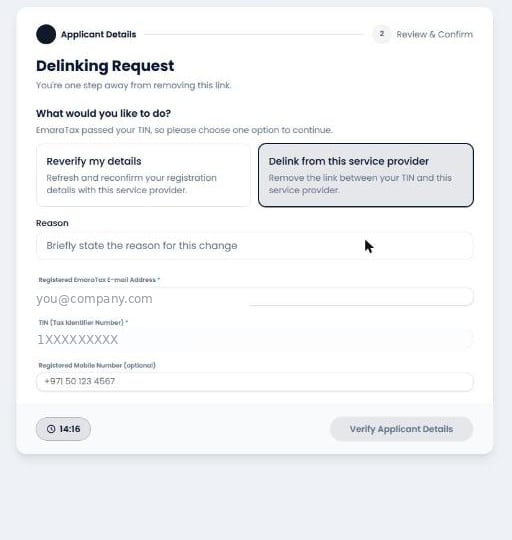
3
Give a reason and your registered e-mail
Both are mandatory. Verify Applicant Details stays greyed out until the
e-mail is a valid address and the reason is filled in.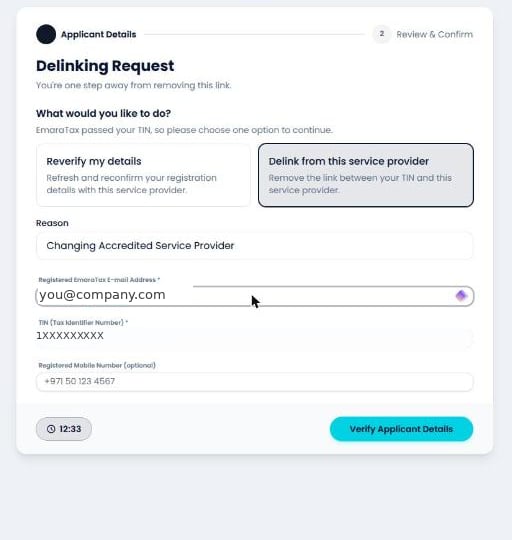
4
Confirm the delink
The FTA returns your details on a Review & Confirm Delinking screen. This
step has its own, separate consent — “I confirm that the above details are
correct and I wish to remove the link with this service provider” — and
Confirm Delinking stays disabled until you tick it.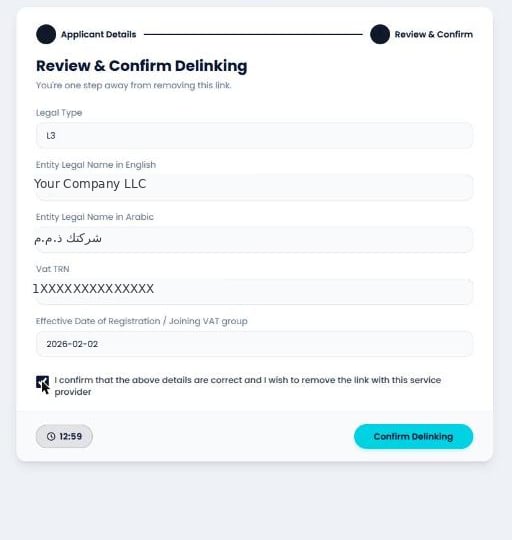

What happens next
- Your EmaraTax row changes to De-Linked, with the date of the delink. Unlike reverification, this is recorded in the registry.
- We remove your business from our Peppol service metadata and Access Point routing.
- Your Fatorly account and its data are not deleted by this action. To close the account as well, see Leave Fatorly.
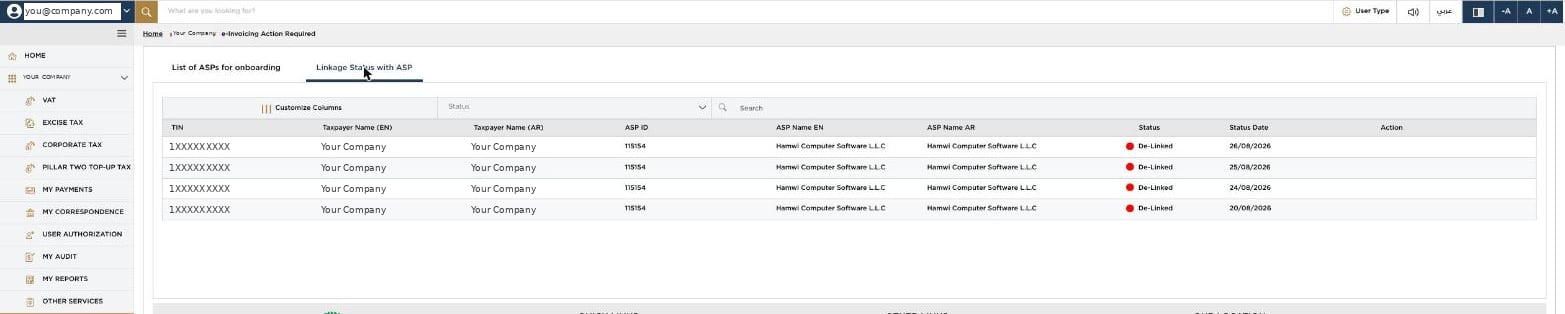
Once every row reads De-Linked and the Action column is empty, the taxpayer
is fully offboarded and free to onboard with another provider — or with us again.