

Auditor
Auditor: Reviewing a Company
Review a company's invoices and data in read-only mode.
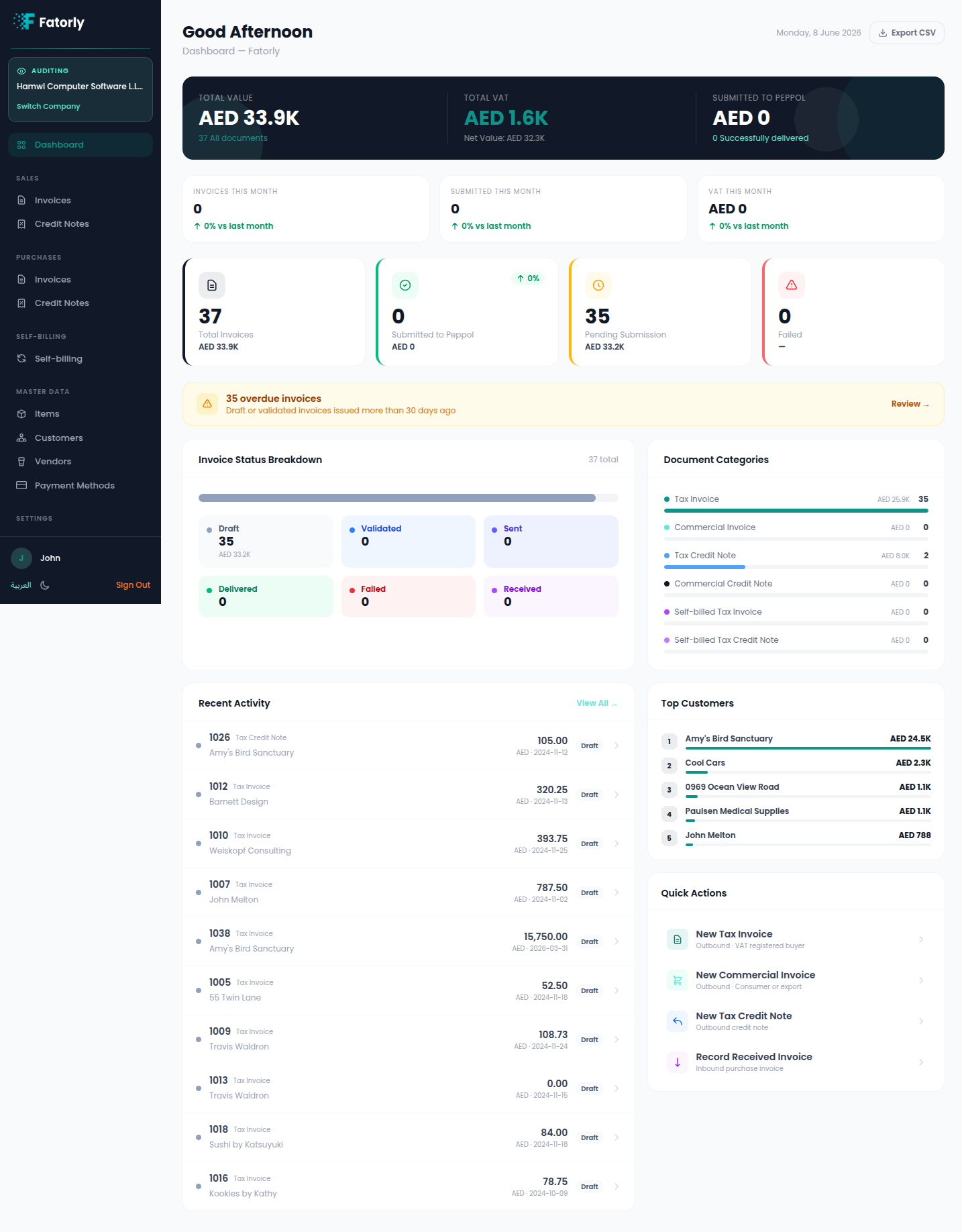
After selecting a company, you see that company's data in read-only mode. The layout matches the normal Fatorly experience, with an Auditing banner so you always know which company you're reviewing.
What you can see
The sidebar shows an Auditing — <Company Name> banner with a Switch Company button. You can browse the company's:
- Dashboard — totals, VAT, submission status, recent activity.
- Sales and Purchases — invoices and credit notes.
- Self-billing documents.
- Master Data — items, customers, vendors, payment methods.
- Company Profile and other read-only settings.
Open any document to review its details, line items, and totals.
Read-only access
Warning
As an auditor you have read-only access. You cannot create, edit, delete, or submit documents, and create/manage actions are not available. To review a different company, select Switch Company.
Tip
Use the same language and theme toggles as the main app to review in English or Arabic, light or dark.