

Purchases
Purchase Credit Notes
View the supplier credit notes you receive over Peppol, and record received credit notes.
The Purchase Credit Notes page lists the inbound credit notes you receive from your suppliers — corrections or reversals raised against purchase invoices. Open it from Purchases → Credit Notes in the sidebar.
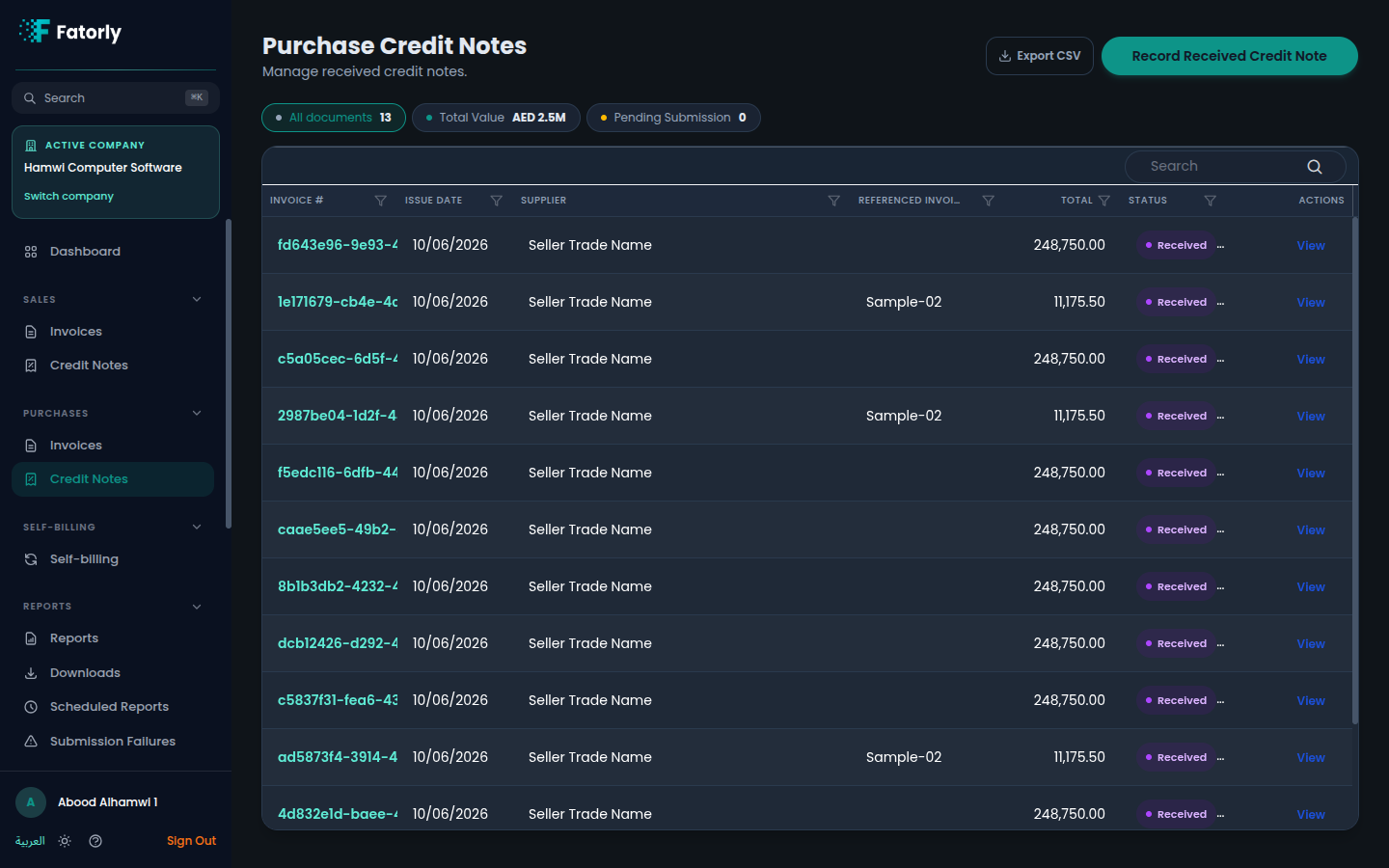
The list
Each row is one received credit note. The grid has these columns:
- Invoice # — the supplier's credit note identifier. Select it to open the document.
- Issue Date — the date the supplier issued the credit note.
- Supplier — the vendor that sent the credit note.
- Referenced Invoice — the purchase invoice the credit note relates to, when the supplier provided one.
- Total — the value being credited in
AED. - Status — a badge; received documents show Received.
- Actions — see Row actions below.
Above the grid, the All documents chip shows the full count, Total Value
shows the combined credited value in AED, and Pending Submission is
available as a filter. Use Search to find a document and select a column
header to sort.
How purchase credit notes arrive
- Received over Peppol — credit notes sent by your trading partners are delivered to your inbox automatically and appear here with a Received status.
- Recorded manually — use Record Received Credit Note in the top-right to enter a supplier credit note yourself, for cases where it did not arrive over Peppol.
Tip
Use Export CSV in the top-right to download the current list for reconciliation.
Row actions
- View opens the full document, including its line items and totals.
Related
- Purchase Invoices — the supplier invoices a credit note references.
- Vendors — the suppliers you receive documents from.
- View an Invoice — how a document is displayed.