

Purchases
Purchase Invoices
View the supplier invoices you receive over Peppol, and record received invoices.
The Purchase Invoices page lists the inbound invoices you receive from your suppliers — including those delivered to you automatically over the Peppol network. Open it from Purchases → Invoices in the sidebar.
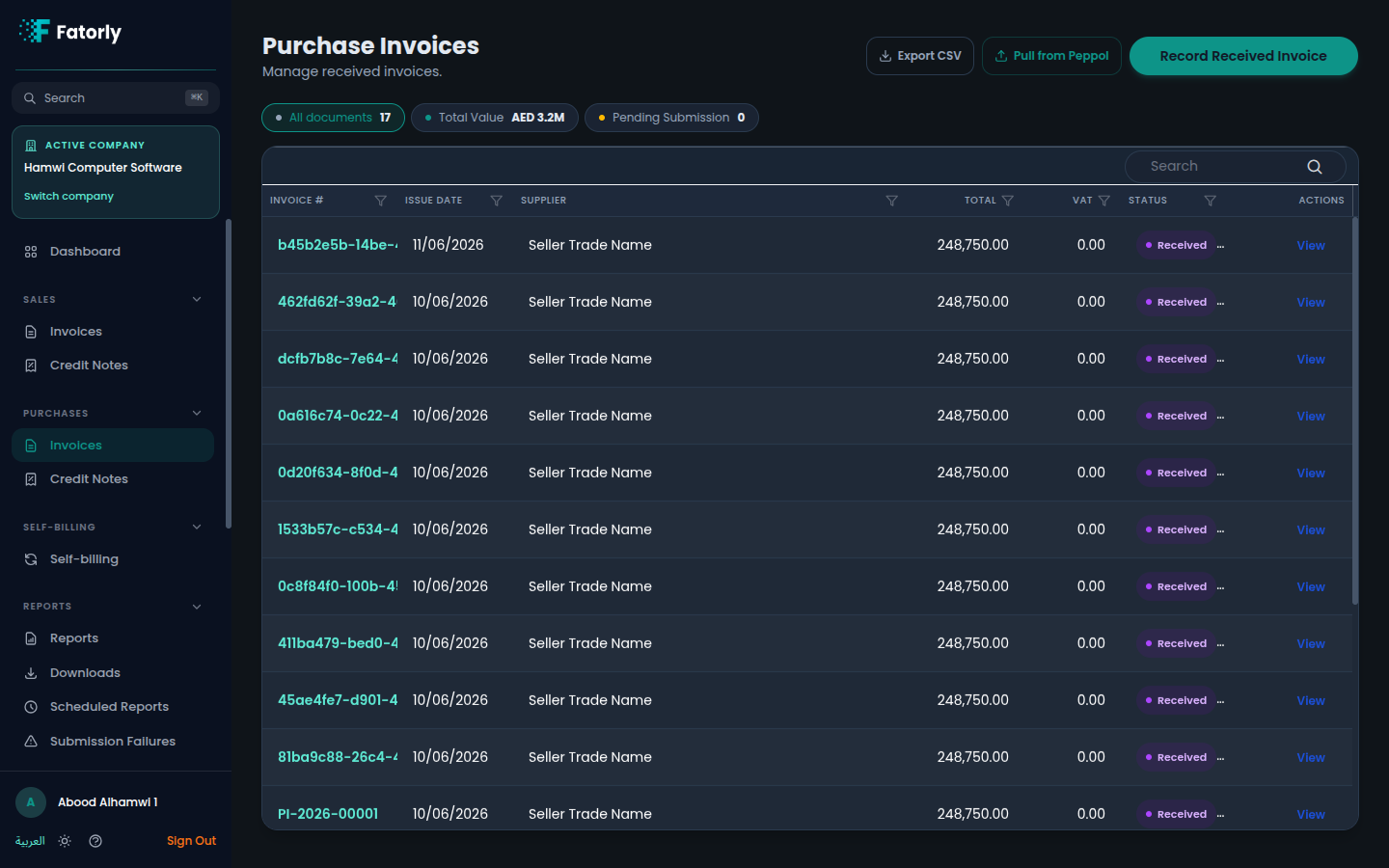
The list
Each row is one received invoice. The grid has these columns:
- Invoice # — the supplier's invoice identifier. Select it to open the document.
- Issue Date — the date the supplier issued the invoice.
- Supplier — the vendor that sent the invoice.
- Total — the total payable in
AED. - VAT — the VAT amount included in the total.
- Status — a badge; received documents show Received.
- Actions — see Row actions below.
Above the grid, the All documents chip shows the full count, Total Value
shows the combined value in AED, and Pending Submission is available as a
filter. Use Search to find a document by number or supplier, and select a
column header to sort.
How purchase invoices arrive
- Received over Peppol — invoices sent to you by your trading partners are delivered to your inbox automatically and appear here with a Received status. Use Pull from Peppol in the top-right to check for and fetch any newly delivered documents on demand.
- Recorded manually — use Record Received Invoice in the top-right to enter a supplier invoice yourself, for cases where the document did not arrive over Peppol.
Tip
Use Export CSV in the top-right to download the current list for reconciliation against your accounts payable.
Row actions
- View opens the full document, including its line items and totals.
Related
- Purchase Credit Notes — inbound corrections against purchase invoices.
- Vendors — the suppliers you receive invoices from.
- View an Invoice — how a document is displayed.