

Dashboard
Your at-a-glance overview of invoices, VAT, and PEPPOL submission status.
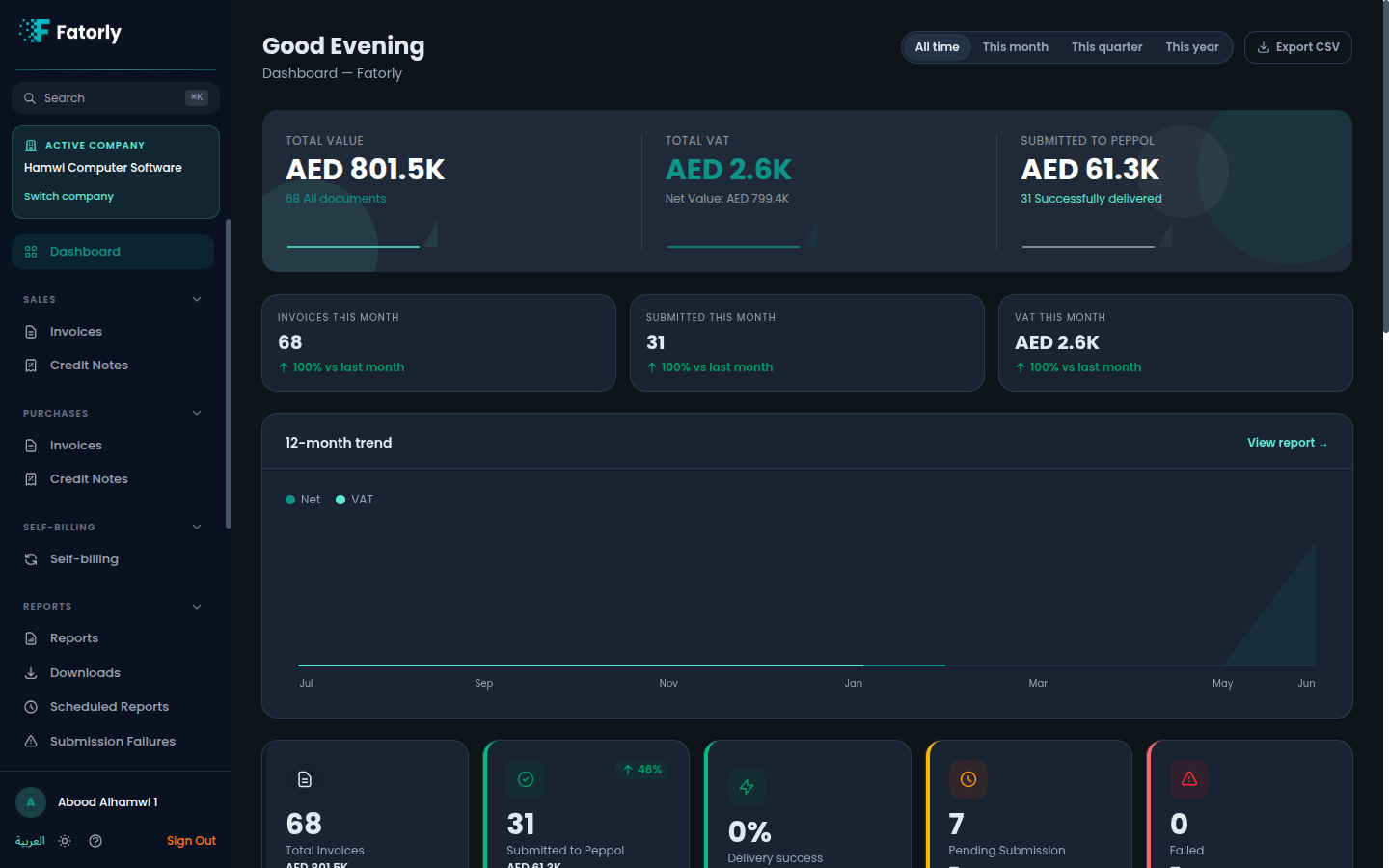
The dashboard is your home screen after signing in (route /). It summarizes
your invoicing activity — totals, VAT, submission status, and what needs your
attention — so you can see the health of your e-invoicing at a glance.
The sidebar
Everything in the app is reached from the left sidebar, grouped by task: Dashboard, Sales, Purchases, Self-billing, Reports, Master Data + Files, Company, and Account. The dashboard ties these together with headline figures and quick links.
KPI cards
The top of the dashboard shows headline figures across all your documents:
| Card | What it shows |
|---|---|
| Total Value | Combined value of all documents, and the document count. |
| Total VAT | Total VAT, with the net value below it. |
| Submitted to PEPPOL | Value successfully delivered over the PEPPOL network. |
Alongside these, this-month comparison cards (Invoices, Submitted, VAT) show the current month versus the previous month so you can spot trends.
Status tiles
Tiles break activity down by submission stage so you always know where your documents stand:
- Total Invoices — every document and its combined value.
- Submitted to PEPPOL — documents sent or delivered.
- Pending Submission — drafts and validated documents not yet sent.
- Failed — documents that need attention.
Due & overdue
A Due & overdue report tile highlights invoices that are approaching their due date or already past it, so payments and submissions don't slip.
Tip
A "X overdue invoices" banner appears when you have draft or validated invoices issued more than 30 days ago. Select Review to open them.
Breakdowns
- Invoice Status Breakdown — counts by status: Draft, Validated, Sent, Delivered, Failed, Received.
- Document Categories — value and count per type: Tax Invoice, Commercial Invoice, Tax Credit Note, Commercial Credit Note, Self-billed Tax Invoice, Self-billed Tax Credit Note.
Recent activity, top customers & quick navigation
- Recent Activity lists your latest documents; select any row to open it. View All goes to Sales Invoices.
- Top Customers ranks your customers by value.
- Quick Actions are shortcuts to create a new Tax Invoice, Commercial Invoice, Tax Credit Note, or to record a received invoice.
Export
Select Export CSV to download your documents as a spreadsheet. For deeper analysis, head to Reports in the sidebar.