

Vendors
Maintain the suppliers behind your purchase and self-billing documents — their tax and contact details flow onto every document.
Vendors are the suppliers you receive purchase invoices from and, where applicable, issue self-billed documents to. Their details flow onto your purchase and self-billing documents. Open the page from Master Data → Vendors in the sidebar.
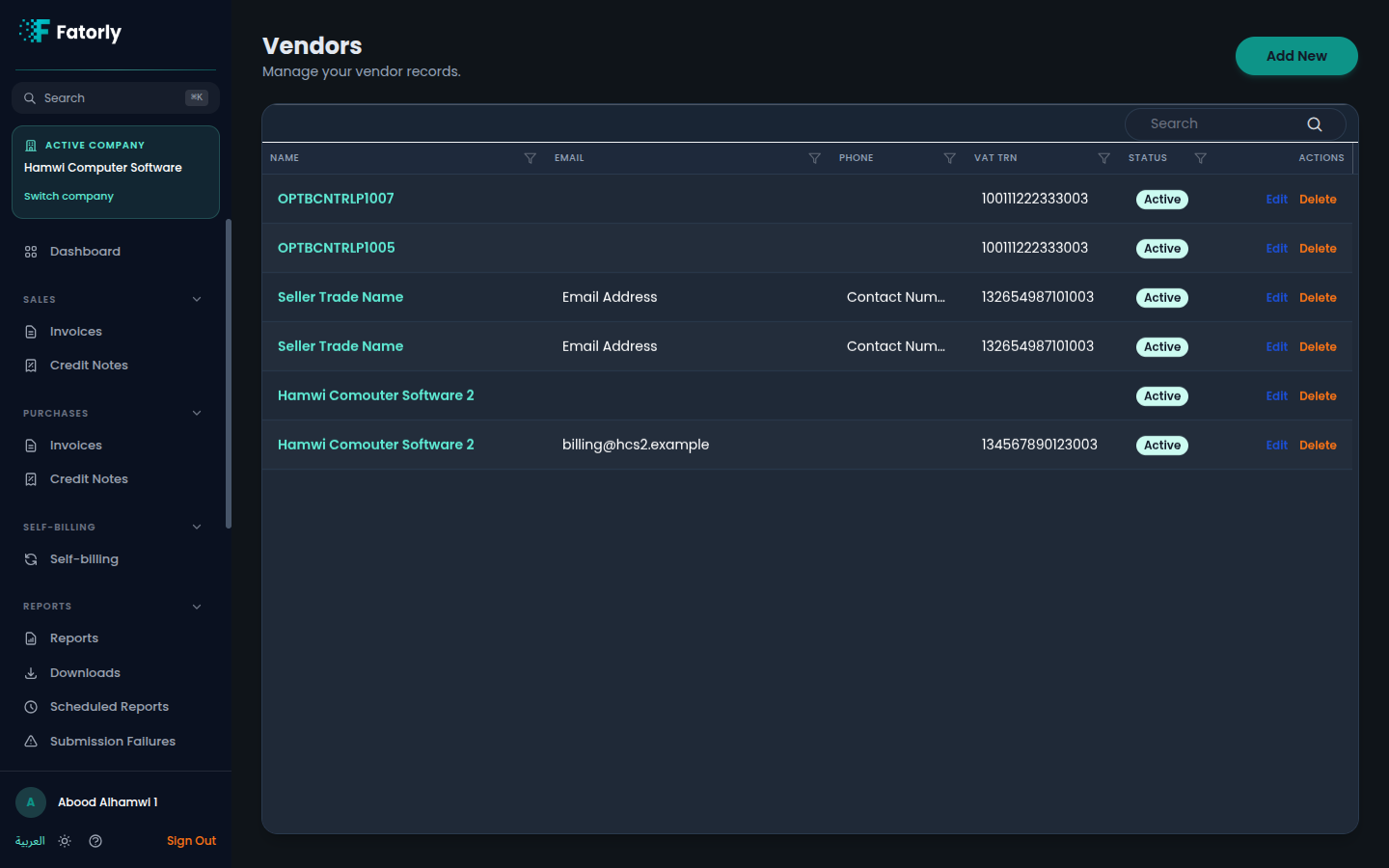
The list
Each row is one vendor. The grid has these columns:
- Code — the vendor's reference code. Assigned automatically from the Vendor Codes number series when left empty on create, or your own code if you entered one.
- Name — the vendor's name. Select it to open the record for editing.
- Email — the vendor's email address.
- Phone — the vendor's phone number.
- VAT TRN — the 15-digit UAE Tax Registration Number.
- Status — Active or inactive.
- Actions — Edit and Delete.
Use the Search box to filter by name, and select any column header to sort.
Add a vendor
Select Add New in the top-right to open the vendor form. It mirrors the customer form and is grouped into cards.
Identity
Optionally add a Vendor Code — your own reference code, for example
from your ERP or accounting system. Leave it empty to auto-assign the next
number from the Vendor Codes series (for
example VEND-00001). Then enter the legal
Name (English) and Name (Arabic); both are required for e-invoice
compliance.
Contact Information
Optionally add the Email, Phone, VAT TRN, and Contact Person. The VAT TRN must be a valid 15-digit UAE tax registration number.
Address
Enter the Address, City, and Country (which defaults to AE).
PEPPOL Network
Optionally add the PEPPOL Participant ID for electronic document exchange with this supplier.
Save
New vendors are Active by default. Select Save.
Note
Address and City are required for Peppol submission — documents that reference a vendor without them will fail validation.
Tip
Vendors are the supplier side of self-billing: when you self-bill, you issue the document on the supplier's behalf, so keep their legal name, VAT TRN, and PEPPOL Participant ID accurate.
Row actions
- Edit opens the vendor form to change the details or toggle status.
- Delete removes the vendor. Documents already issued are unaffected.
Related
- Self-billing — issue documents on a supplier's behalf.
- Customers — the buyers on your sales documents.