

Items
Maintain the products and services you sell — and set the per-line defaults Fatorly prefills when you pick an item on an invoice.
The Items page is your catalogue of the products and services you invoice. Each item stores a reusable code, bilingual name, unit of measure, unit price, and tax defaults so you can add an invoice line with a single selection instead of retyping everything. Open it from Master Data → Items in the sidebar.
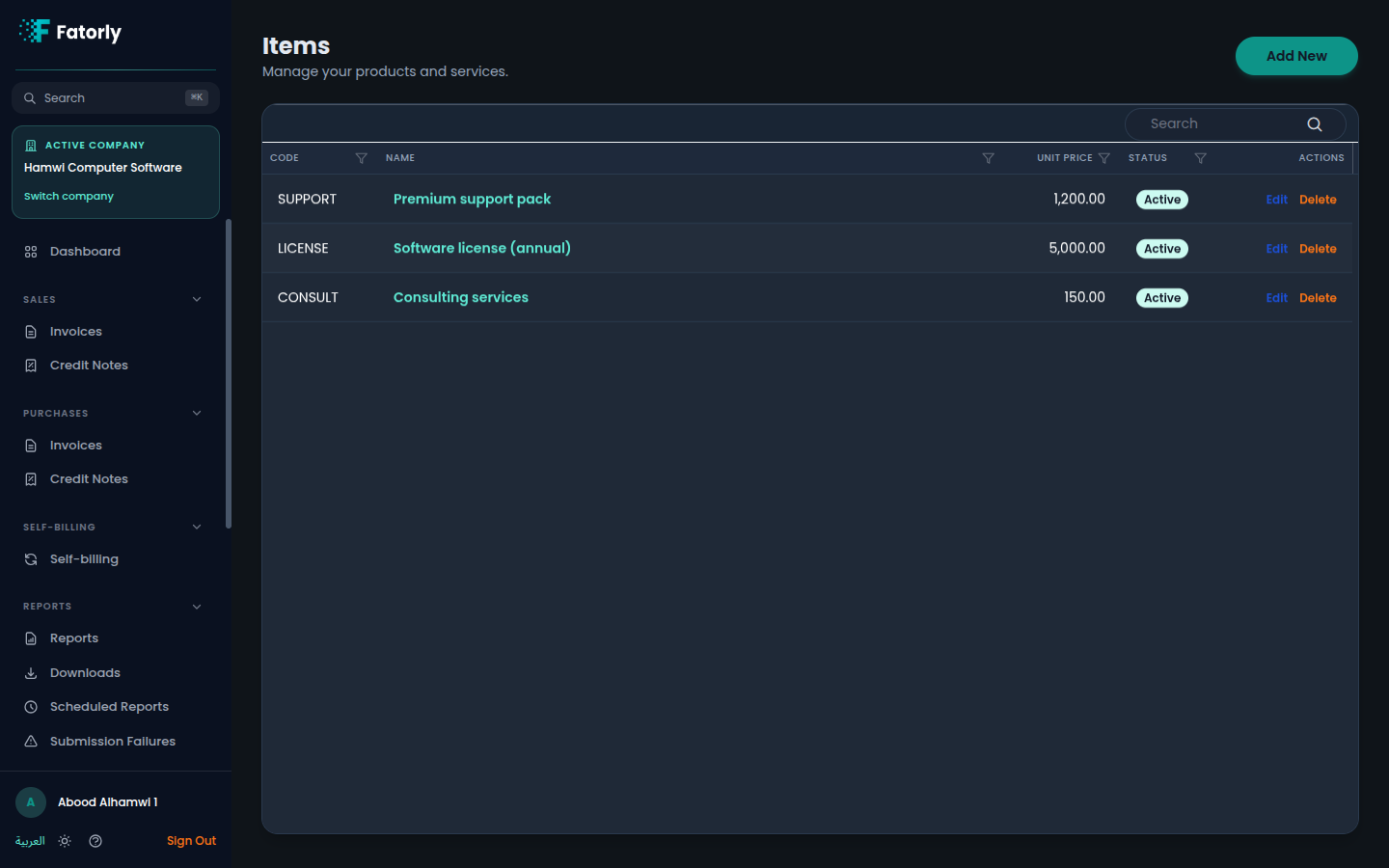
The list
Each row is one item. The grid has these columns:
- Code — the unique identifier you reference on invoice lines (for example
SUPPORTorLICENSE). - Name — the item's display name. Select it to open the item for editing.
- Unit Price — the default price per unit in
AED. - Status — Active items can be selected on new documents; inactive ones are kept for history but hidden from the picker.
- Actions — Edit and Delete.
Use the Search box in the grid toolbar to find an item by code or name, and select any column header to sort.
Add an item
Select Add New in the top-right to open the item form, which is organised into a few cards.
Identification
Enter a unique Code and the Unit of Measure. The unit of measure
should follow UN/CEFACT codes — for example EA (each), KGM (kilogram),
or LTR (litre). New items default to EA.
Display Names
Enter the item's Name (English) and Name (Arabic). Both are required because they appear on the bilingual e-invoice.
Pricing & Details
Enter the Unit Price in AED and, optionally, a longer Description.
Save
New items are Active by default. Select Save to add the item to your catalogue.
Tip
The code must be unique — it is the identifier used when the item is referenced on an invoice line.
Tax and classification defaults
Beyond the basic details, an item can carry two tax-related defaults that make invoicing both faster and more accurate:
- Default tax category — the VAT category that normally applies to this item (for example the UAE standard 5% rate, zero-rated, or exempt).
- Default classification — the commodity classification that describes this item: its classification scheme (list identifier) and the code itself.
These defaults are what turn an item into a true template. When you pick the item on an invoice line, Fatorly prefills the line's name, unit of measure, and unit price from the item, and — when they are set — it also applies the item's default tax category and adds its commodity classification to that line. You can still override any prefilled value on the individual invoice line.
Note
The classification prefill only fills a line that has no classification yet, so a code you typed manually on a line is never overwritten.
Row actions
- Edit opens the item form to change its details or toggle its status.
- Delete removes the item from your catalogue. Documents already issued with that item are unaffected.
Related
- Create or Edit an Invoice — picking an item on a line is where these defaults are applied.
- Invoice Field Reference — what the tax category and classification fields mean on a finished document.
- Customers — the buyers you invoice.