

Use it whenever your taxable-person profile changes at the FTA — a new legal name,
a VAT registration, a change of registered e-mail. The FTA recommends reverifying at
least once or twice a year, and whenever something significant changes.
How to reverify
1
Start from EmaraTax
Open E-INVOICING for your taxable person and go to the Linkage Status with
ASP tab. On your Linked row, open the Action menu and choose
Offboarding/Reverify.
2
Choose Reverify my details
The wizard opens on a choice between reverifying and delinking. Your TIN is
already filled in and locked — it comes from EmaraTax and cannot be changed.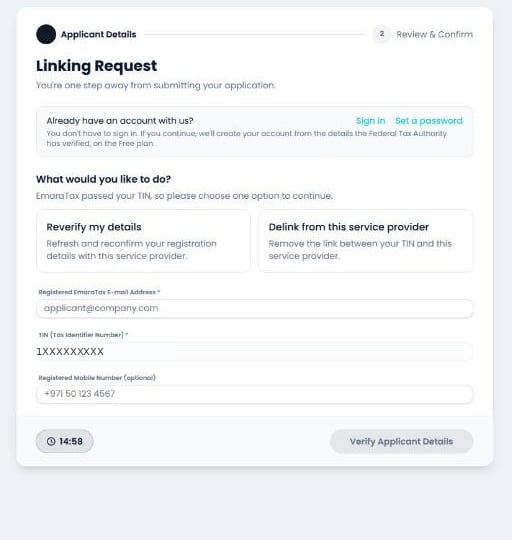
3
Give a reason and your registered e-mail
A mandatory Reason field appears. Fill it in, along with the e-mail address
the FTA holds for you.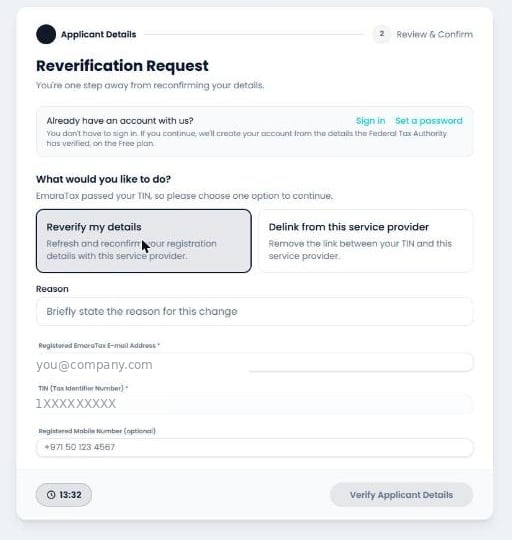
4
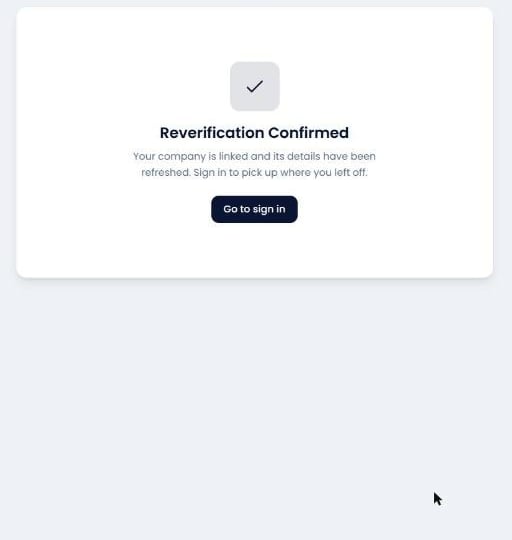
Review and confirm
The FTA returns your current details, filled in and non-editable, on a Review &
Confirm Reverification screen. Tick the confirmation checkbox and submit.
Why EmaraTax looks unchanged afterwards
This surprises people, so it’s worth stating plainly: