> ## Documentation Index
> Fetch the complete documentation index at: https://docs.fatorly.com/llms.txt
> Use this file to discover all available pages before exploring further.
# Downloads
> The list of generated report exports and how to download them.
**Downloads** collects every export you generate from a report. Open it from
**Reports → Downloads** in the sidebar, at `/reports/downloads`.
 ## The list
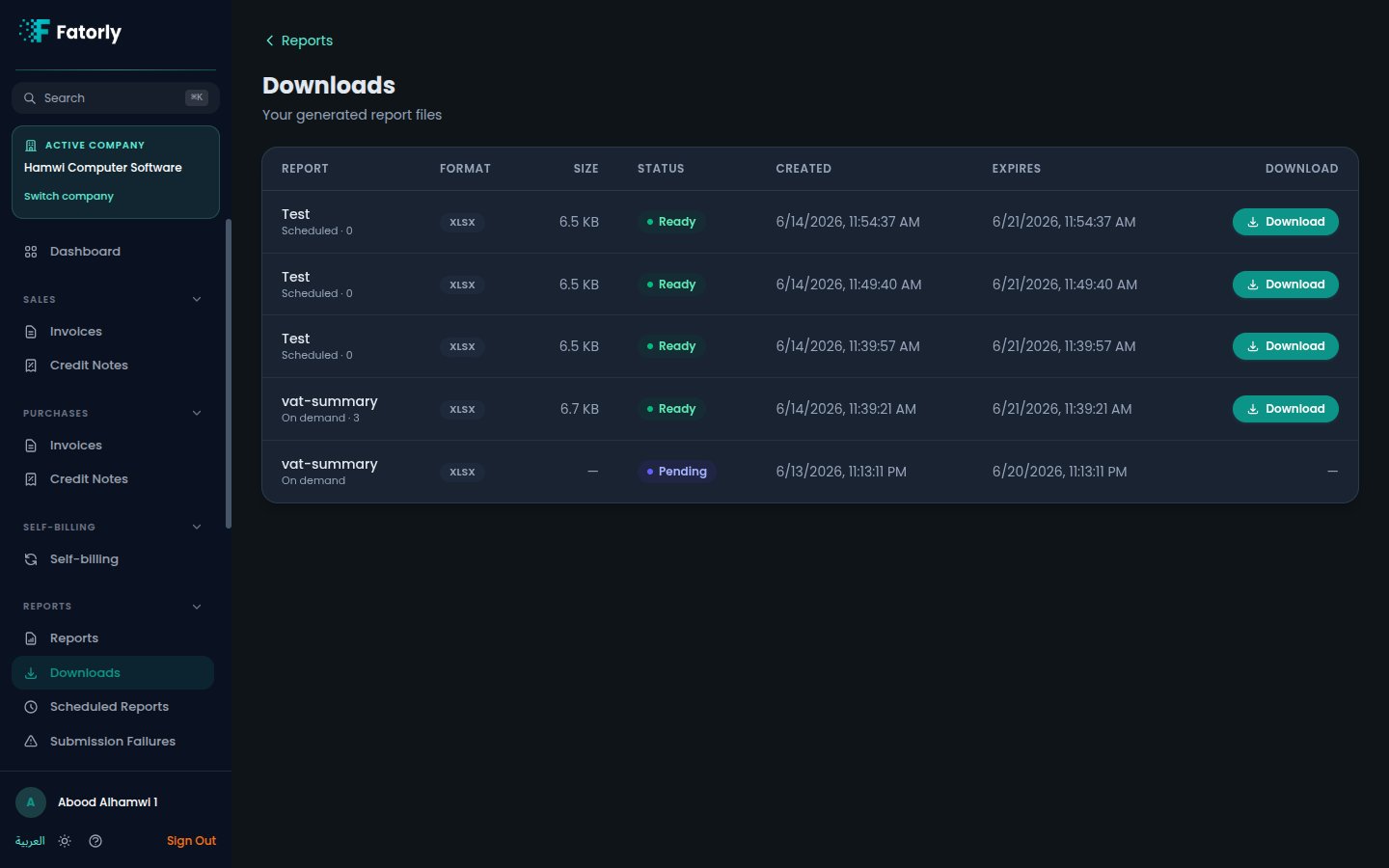
Each row is one generated export — the file Fatorly built when you ran a report
or when a [scheduled report](/en/reports/scheduled-reports) ran. A row lets you
see which report the file came from, the format it was generated in (CSV, Excel,
or PDF), and when it was created.
## Download a file
Select the download action on a row to save the file to your device. Files
generated from your reports and from your schedules both appear here, so this is
the single place to pick up any export.
Generated exports are produced on demand and kept here for convenience. Download
anything you need to retain, and keep your own copy of files you rely on
long-term.
## Related
* [Running a Report](/en/reports/running-a-report) — how exports are generated.
* [Scheduled Reports](/en/reports/scheduled-reports) — exports that arrive here
automatically.
* [Reports](/en/reports/overview) — the report hub.
## The list
Each row is one generated export — the file Fatorly built when you ran a report
or when a [scheduled report](/en/reports/scheduled-reports) ran. A row lets you
see which report the file came from, the format it was generated in (CSV, Excel,
or PDF), and when it was created.
## Download a file
Select the download action on a row to save the file to your device. Files
generated from your reports and from your schedules both appear here, so this is
the single place to pick up any export.
Generated exports are produced on demand and kept here for convenience. Download
anything you need to retain, and keep your own copy of files you rely on
long-term.
## Related
* [Running a Report](/en/reports/running-a-report) — how exports are generated.
* [Scheduled Reports](/en/reports/scheduled-reports) — exports that arrive here
automatically.
* [Reports](/en/reports/overview) — the report hub.