> ## Documentation Index
> Fetch the complete documentation index at: https://docs.fatorly.com/llms.txt
> Use this file to discover all available pages before exploring further.
# Payment Methods
> Maintain a reusable list of payment methods you can select on your invoices.
**Payment methods** are the ways your customers can pay you — such as Bank
Transfer, Cash, Check, or a card type. Maintaining the list here means you can
pick a payment method on an invoice instead of retyping it each time. Open the
page from **Master Data → Payment Methods** in the sidebar.
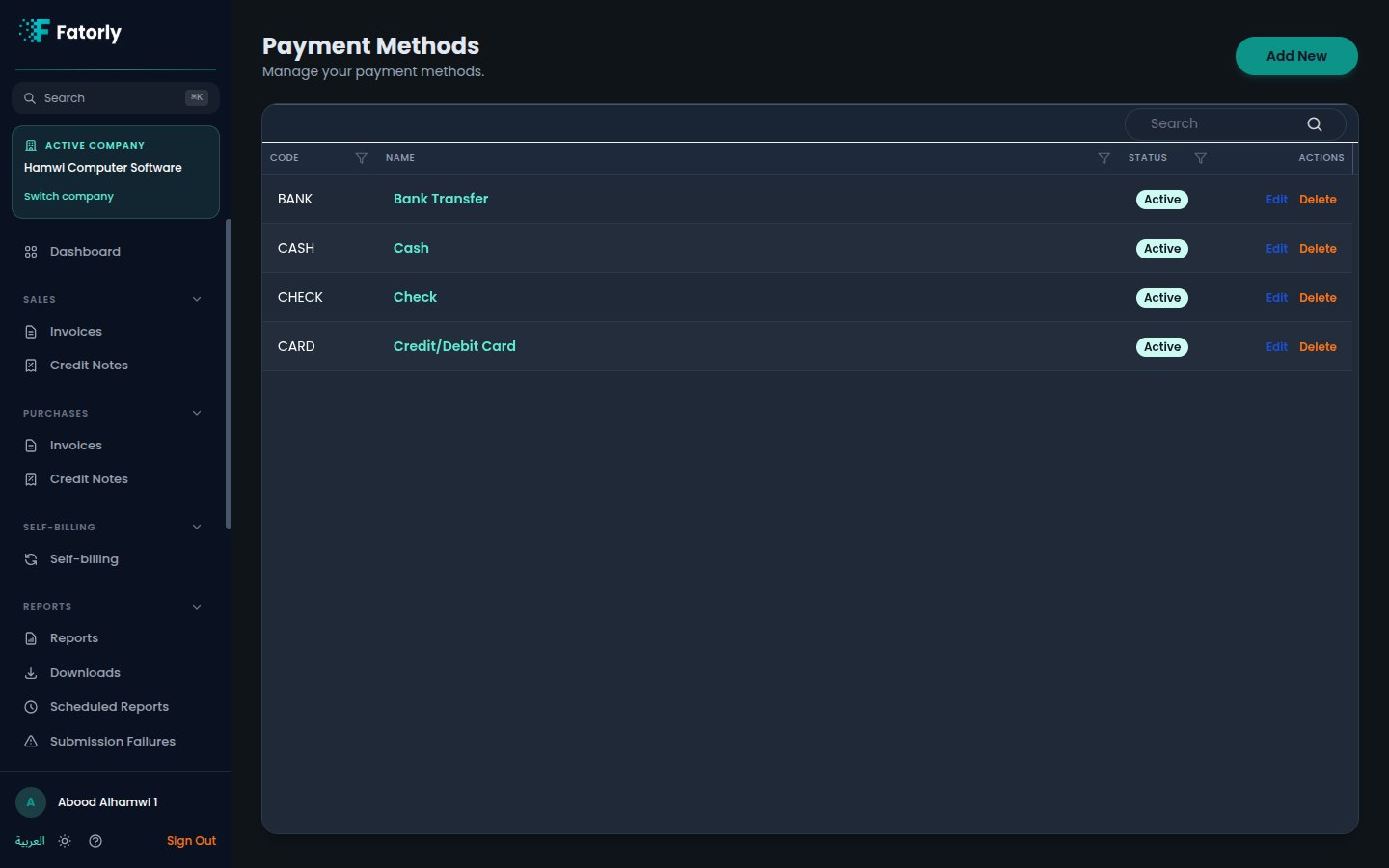 ## The list
Each row is one payment method. The grid has these columns:
* **Code** — a short identifier such as `BANK`, `CASH`, `CHECK`, or `CARD`.
* **Name** — the display name (for example *Bank Transfer*). Select it to edit.
* **Status** — **Active** methods appear in the picker on invoices; inactive
ones are hidden.
* **Actions** — **Edit** and **Delete**.
Use the **Search** box to filter, and select any column header to sort. Fatorly
comes with common methods pre-loaded, such as Bank Transfer, Cash, Check, and
Credit/Debit Card.
## Add a payment method
Select **Add New** in the top-right. An inline panel opens above the list.
Provide a unique **Code**, **Name (English)**, and **Name (Arabic)**.
Select **Save**. New methods are **Active** by default and immediately
available on invoices.
Mark methods you don't use as inactive (via **Edit**) to keep the selection list
on invoices short and relevant.
## Row actions
* **Edit** opens the method for changing its code, names, or status.
* **Delete** removes the method. Documents already issued are unaffected.
## Related
* [Create or Edit an Invoice](/en/invoicing/create-invoice) — where you select a
payment method for a document.
## The list
Each row is one payment method. The grid has these columns:
* **Code** — a short identifier such as `BANK`, `CASH`, `CHECK`, or `CARD`.
* **Name** — the display name (for example *Bank Transfer*). Select it to edit.
* **Status** — **Active** methods appear in the picker on invoices; inactive
ones are hidden.
* **Actions** — **Edit** and **Delete**.
Use the **Search** box to filter, and select any column header to sort. Fatorly
comes with common methods pre-loaded, such as Bank Transfer, Cash, Check, and
Credit/Debit Card.
## Add a payment method
Select **Add New** in the top-right. An inline panel opens above the list.
Provide a unique **Code**, **Name (English)**, and **Name (Arabic)**.
Select **Save**. New methods are **Active** by default and immediately
available on invoices.
Mark methods you don't use as inactive (via **Edit**) to keep the selection list
on invoices short and relevant.
## Row actions
* **Edit** opens the method for changing its code, names, or status.
* **Delete** removes the method. Documents already issued are unaffected.
## Related
* [Create or Edit an Invoice](/en/invoicing/create-invoice) — where you select a
payment method for a document.